Exercise 7: Edit a Photo with AI
AI image tools can do more than generate images from scratch — they can take an existing photo and add, remove, or change things in it. This exercise gives you a photo to work with and a set of ideas to try.
The photo
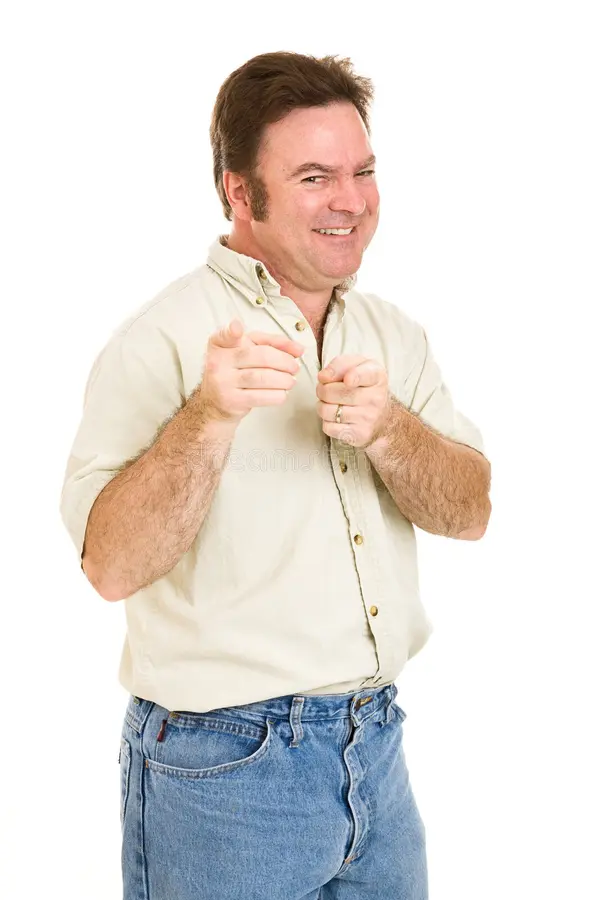
Download Photo
Bring the downloaded photo into one of the tools below.
What to try
Pick one of these ideas — or come up with your own:
- Change the background — Put him somewhere unexpected. Times Square. A rocket launch pad. A Renaissance painting. The moon.
- Add a prop — Give him something to hold: a microphone, a trophy, a tiny dog, a lightsaber.
- Change his outfit — Swap the casual shirt for a tuxedo, a superhero costume, or a chef's apron.
- Make it a movie poster — Add a title, dramatic lighting, and a tagline. What movie is he starring in?
- Put him in a scene — Drop him into a painting, a famous photo, or a historical moment.
- Add text or signs — What would a sign near him say? A speech bubble? A name tag?
There's no wrong answer. The goal is to get comfortable giving an AI tool an image and a direction, then seeing what it does with it.
Tools to try
These tools support image editing with a text prompt. Upload the photo, describe what you want, and see what happens.
Be specific in your prompt. "Put him in a tuxedo standing on the moon with Earth in the background" will get a better result than "change his outfit and background."
Share what you made
If you're doing this as part of a class or group, bring your result back to share. The variety of outputs from the same starting image — and the same prompt — is part of what's interesting to see.